
Shop

Shop

VKR Wedding Tone System — a complete Lightroom preset collection for modern wedding photographers. From clean daylight to bold flash, cinematic black & white and refined European editorial aesthetics.

Instant download Desktop + Mobile Refund-friendly
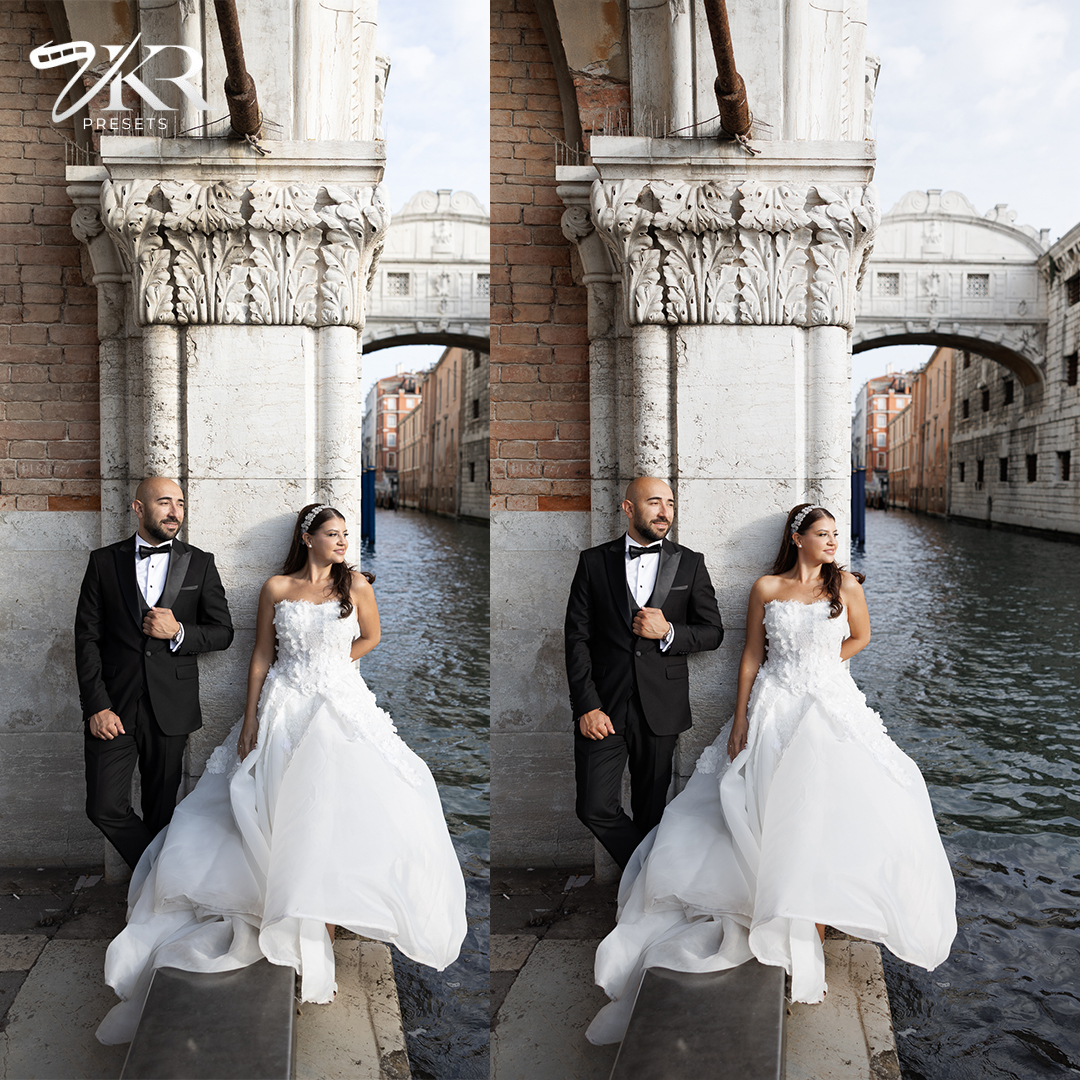
Before
After
A clean, airy preset designed for timeless wedding imagery. Soft highlights, balanced skin tones, and a natural light feel that keeps every detail elegant and true to life. Perfect for bright conditions, outdoor weddings, and classic editorial moments.
Sale!

VKR ATELIER Mobile

VKR Atelier is designed to be flexible across different cameras, lenses, and lighting conditions.
Each preset adapts naturally to your image, while small adjustments are encouraged to match your personal style and shooting environment.

Supported Software

Mobile

Original price was: 99,00 $.Current price is: 39,00 $.

Includes

  • Preset files
  • PDF install guide

Look

Short blurb

Formats

.dng

Delivery

Instant download + email

Description

DESCRIPTION

VKR Atelier Presets

VKR Atelier is a professional preset pack designed to achieve clean whites, natural skin tones, and consistent color across a wide range of lighting conditions.
Each preset is carefully crafted to serve as a flexible editing base, giving you full control over your final look.

The pack includes multiple presets tailored for different scenarios, including direct flash, indoor light, outdoor conditions, and black & white photography.

These are not one-click presets — small adjustments may be required to achieve the best results.

Each preset is built as a professional foundation, allowing you to fine-tune exposure, temperature, and tones depending on your lighting and style.

Every preset also includes a detailed video explanation, showing how to use and adapt it across different images and conditions.

VKR Atelier is created for photographers who value consistency, flexibility, and a refined, professional finish in every edit.
FAQ

How do I install the presets on mobile?
Follow a few simple steps to install your VKR Mobile Atelier presets in Lightroom.
Where do I download the files?
After purchase, download the .DNG files to your phone.
👉 On iPhone: files will be in the Files app
👉 On Android: files will be in Downloads
Which app do I need?
You need the mobile app Adobe Lightroom (free, available on App Store and Google Play).
How do I import the presets?
Open Lightroom → Tap “Add Photos” → Select the downloaded DNG files.
Each DNG file will appear as a photo.
How do I create the preset?
For each DNG file:
• Open the image
• Tap the 3 dots (top right)
• Tap “Create Preset”
• Name it (e.g. VKR – Clean Light)
• Save it in a group (e.g. VKR Mobile Atelier)
How do I use the presets?
Open any photo → Go to Presets → Select your preset → Adjust exposure if needed.
Do these presets work on all photos?
They work best on RAW or high-quality images. Results may vary depending on lighting conditions.
Do I need to adjust anything after applying?
Yes. Small adjustments to Exposure may be needed for best results.
Are these presets for mobile or desktop?
These presets are designed for mobile Lightroom only.
What if I need help?
If you have any issues, feel free to contact me anytime.

License

(PERSONAL & COMMERCIAL USE)
License Agreement – VKR ATELIER
By purchasing VKR ATELIER, you are granted a non-transferable license to use the presets for both personal and commercial photography projects.
You may:

Use the presets on unlimited personal and client work
Edit, modify and customize presets for your workflow
You may not:
Redistribute, resell or share the presets in any form
Claim the presets as your own creation
Include the presets in free or paid bundles
Purchase grants usage rights, not ownership.